Every bend.
Together.
Group navigation for supercar drivers and motorcyclists. Plan the route once, everyone takes the same line, and nothing changes unless you confirm it.
- auto reroutes
- 0
- auto reroutes
- cars & bikes
- 2
- cars & bikes
- shared route
- 1
- shared route
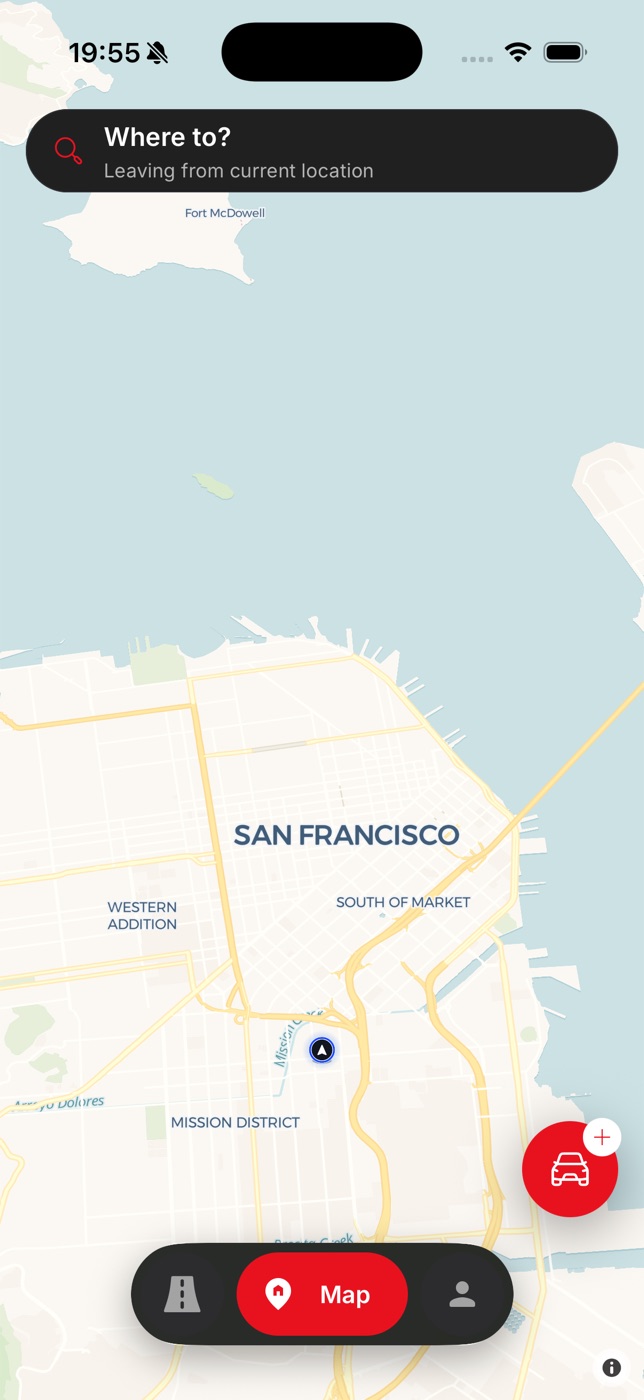
Supercars & superbikes
Cars and bikes, one route.
Built for groups
Convoys, clubs and packs.
Import from Google Maps
Bring a shared route in.
You confirm every change
No auto reroute, ever.
- 59
- Road guides
- 27
- Regions
- 1,715
- Miles of great road
- 4
- Group roles
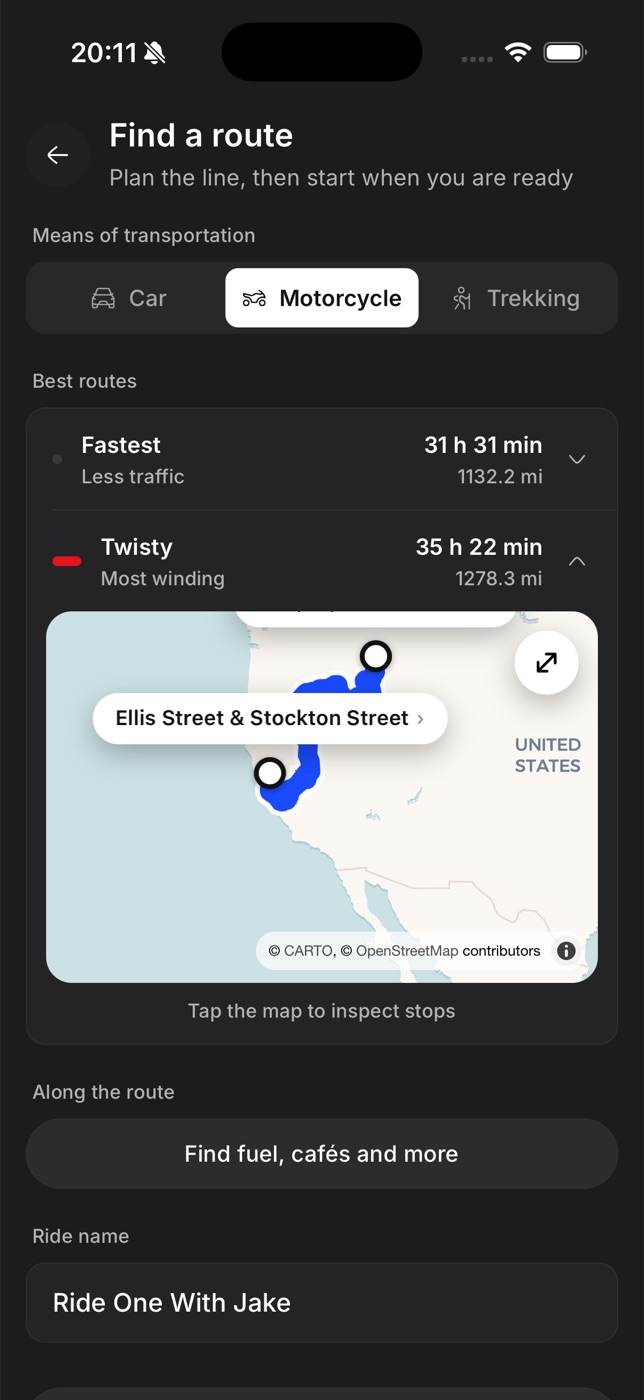
Pick the line, not just the fastest one.
Pick car or motorcycle and compare routes side by side — fastest, or twisty and most winding. Inspect every stop on the map, add fuel and cafés along the way, then name the run.
- Car and motorcycle routing
- Fastest or twisty route options
- Stops, fuel and cafés along the way
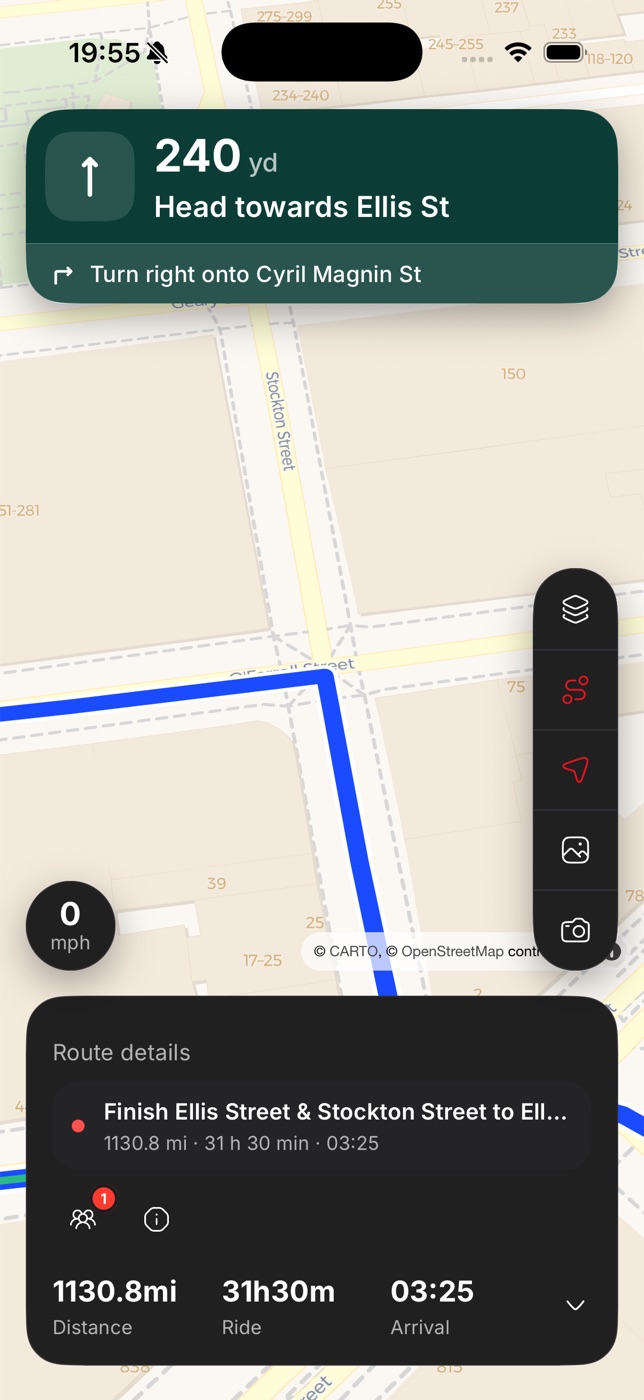
Clear turns. No surprise reroutes.
Big, glanceable instructions with distance, journey time and arrival at the bottom. Traffic can suggest a diversion — but the route only changes when you tap to accept.
- Turn-by-turn built for the drive
- Diversions always rejoin the plan
- Speed, layers and hazards in reach
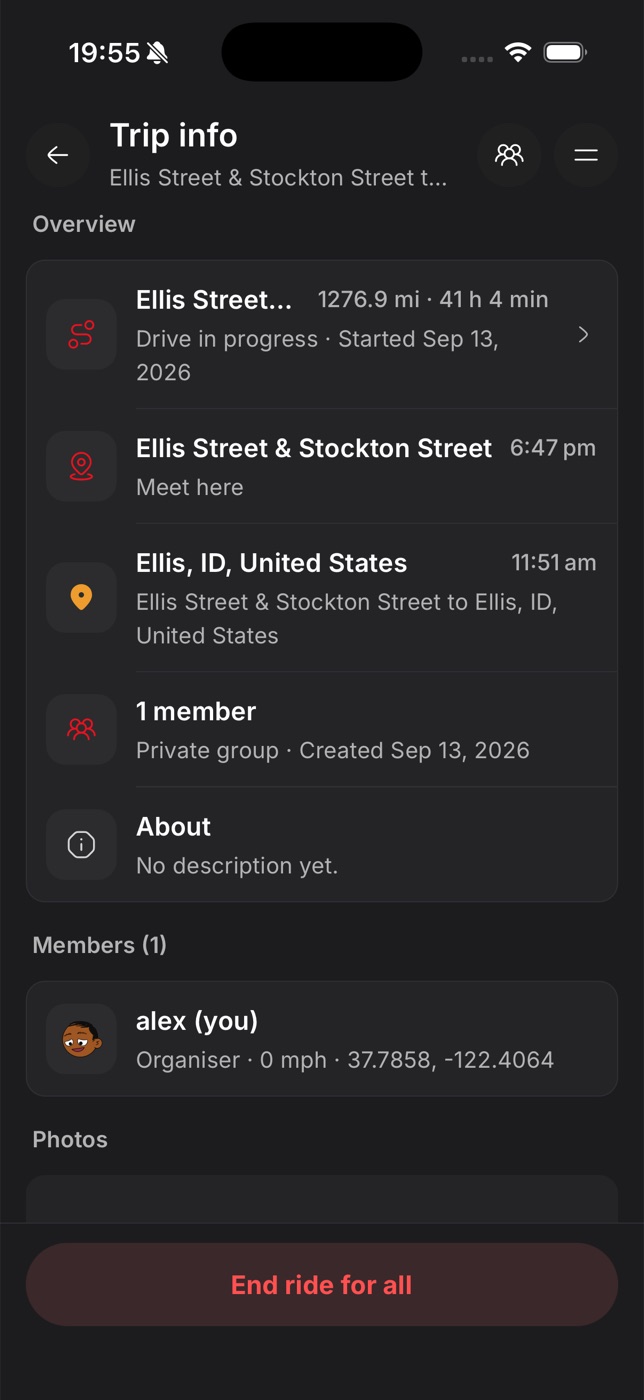
Everyone on one trip.
Meeting point, destination, members and roles in one place. The organiser sets it up, the lead starts the run, and sweep can see exactly who's behind — supercar convoy or pack of bikes.
- Organiser, lead and sweep roles
- Private invite-only clubs or public groups
- Live positions for the whole convoy
How it works
Three steps from the car park to the café.
- 01
Plan
Choose car or motorcycle, compare fastest and twisty, then add stops, via and shaping points. Or paste a Google Maps link.
- 02
Invite
Share with a private club by link or code, or open it up as a public group. Assign a lead and a sweep.
- 03
Drive
The lead starts the run. Everyone gets the same turn-by-turn, live positions and diversions they choose to accept.
Roles
Every group drive has a shape. Tarmac knows it.
Real drives have someone out front and someone at the back. Tarmac gives each role the controls and view it needs — and each driver confirms their own diversions unless the group is set to organiser-only.
How lead and sweep workOrganiser
Creates the group, invites people and edits the route before the start.
Lead
Starts and pauses the run for everyone, and sets the pace.
Driver
Follows the shared route and shares location with the group.
Sweep
Drives at the back and sees exactly who's behind.
Road guides
Roads worth getting up early for.
Peak District
Cat and Fiddle Road
The A537 between Macclesfield and Buxton crosses high moor past the Cat and Fiddle, one of the highest inns in England. Fast sweepers, blind crests and huge views have made it a byword for British biking roads.
Scottish Highlands
Bealach na Bà
Bannau Brycheiniog (Brecon Beacons)
Black Mountain Pass
Lake District
Hardknott Pass
North East Wales
Evo Triangle
Cairngorms
Snow Roads Scenic Route
Built for
Whatever your group looks like.
Supercar owners, clubs and tour organisers
Supercar convoy app
Keep a convoy of supercars together on the roads worth driving — with a lead, a sweep and a route that only changes when you say so.
Motorcycle clubs and driving groups
Group motorcycle navigation
One planned route, every driver on it. Tarmac keeps a pack of bikes on the same line from meet-up to final stop.
Owners' clubs and car meet organisers
Car club drive planner
Plan the club run, invite members, assign a lead and sweep, and drive it together — all from one app.
Charity runs, toy runs and memorial drives
Charity drive organiser
Big drives need calm organisation. Share one route with everyone, assign marshals as sweeps and keep the whole drive visible.
Sunday morning drivers and early starters
Breakfast run planner
Meet at 7, great roads by 7:30, bacon roll by 9. Plan the classic breakfast run in minutes.
Drivers planning multi-day tours
Motorcycle touring planner
Plan each day of a tour as its own route, keep them together in a group, and drive them with friends.
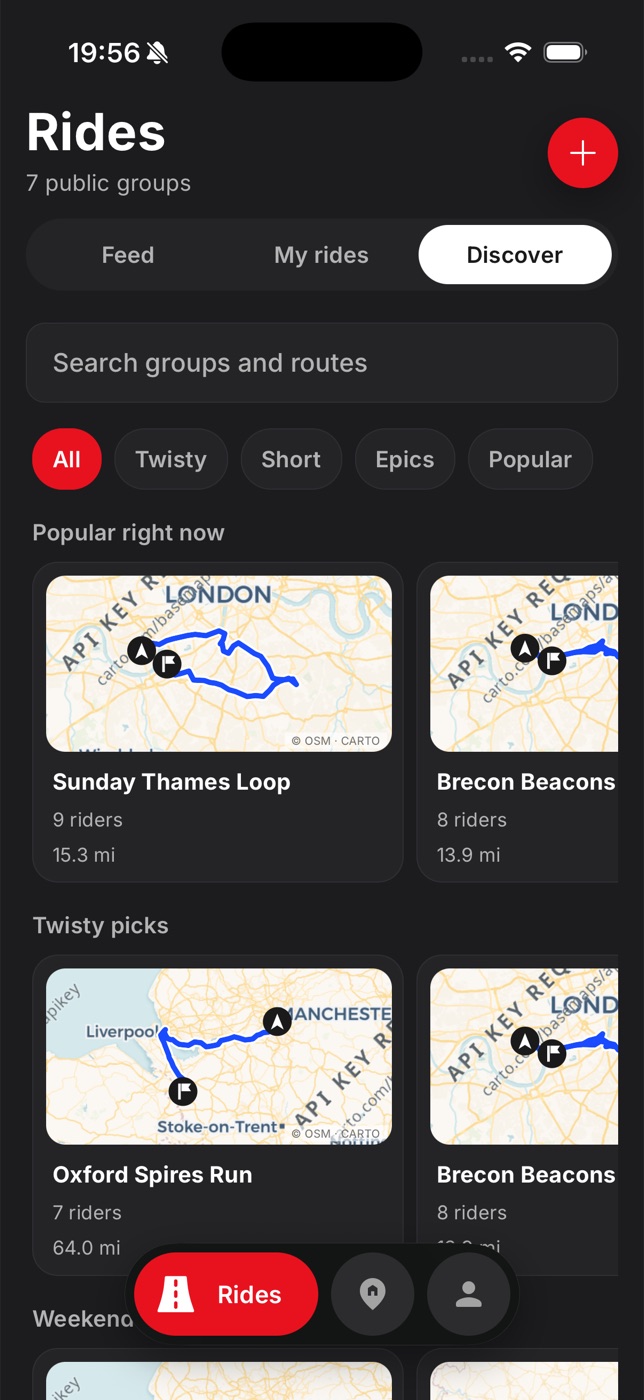
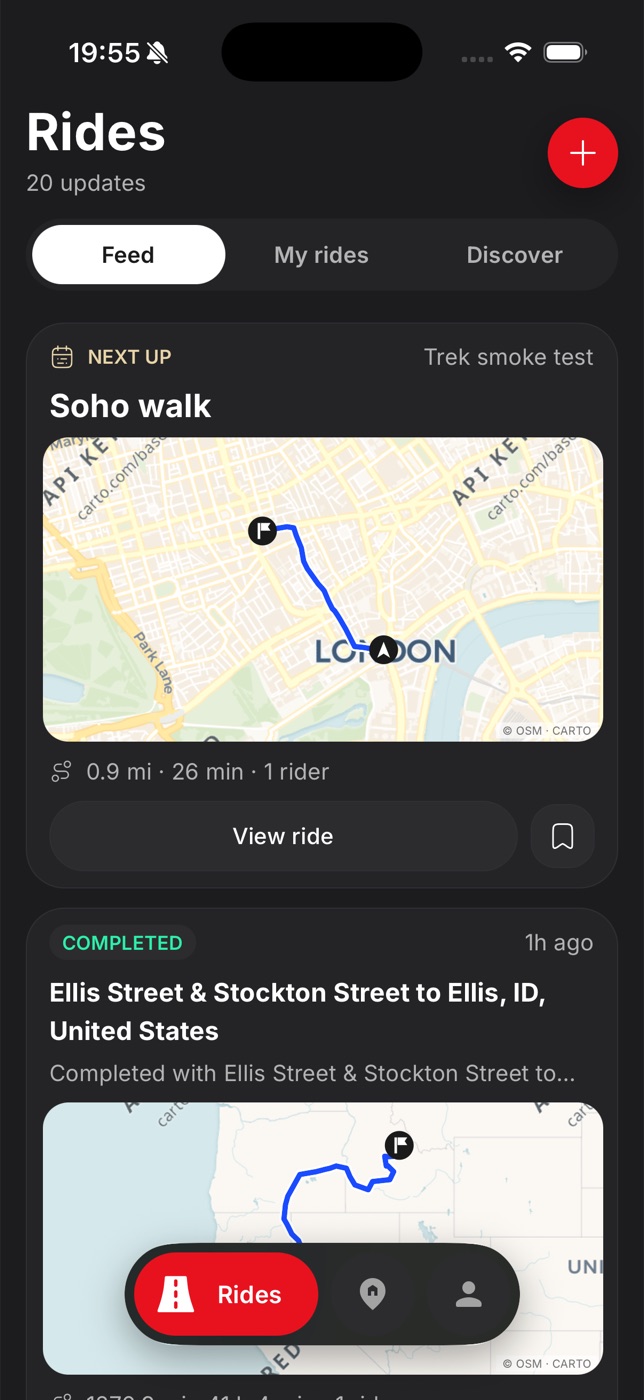
Find your next run. Relive the ones you've done.
Browse car clubs, bike groups and popular routes — twisty, short or epic — and keep up with your crew in the feed.
Eyes on the road, not the screen.
- No surprise reroutes mid-corner — you decide when the route changes.
- Sweep knows who's behind, so no car or bike gets left at a junction.
- Share your live location only with the group, only while you're out.
- Report hazards once and warn everyone on the same road.
Not another sat nav.
Great apps exist for commuting and solo driving. Tarmac is the one built for the group. See how it compares.
The Journal
Drive smarter, together.
Product · 10 September 2026
Why Tarmac will never reroute you without asking
The one product rule we won't break: nothing changes your route unless you confirm it. Here's why that matters for groups.
Safety · 3 September 2026
Autumn driving checklist: leaves, low sun and cold tyres
Keep driving into October and November with this checklist for UK autumn conditions.
Group driving · 28 August 2026
How to lead and sweep a group motorcycle drive
A practical guide to running a safe, relaxed group drive — briefing, lead and sweep duties, spacing and regroup stops.
FAQ
Good questions.
What is Tarmac?+
Tarmac is a group navigation app for supercar drivers and motorcyclists. The organiser plans the route once, everyone drives the same line, and the route never changes unless you confirm it.
Does Tarmac reroute automatically?+
Never. Traffic can suggest a diversion that rejoins your planned route, but nothing changes until you tap accept. Your saved route is never overwritten.
Does it work for cars and motorcycles?+
Yes. Pick car or motorcycle routing, and mix supercars and bikes in the same group.
Can I import a route from Google Maps?+
Yes. Paste a Google Maps directions link to import it, then refine it with stop, via and shaping points. You can export back to Google Maps leg by leg.
Who can see my location?+
Only members of your group, and only while a drive is active.
How do I get Tarmac?+
Tarmac is available for iPhone and Android through early access. Email [email protected] to join.

Your next run starts here.
Organising a supercar convoy, a club run or a Sunday breakfast drive? Get early access to Tarmac on iPhone and Android.